Users are required to verify their loan-out information every year. An “Expired” status means that the current loan-out information is out of date and must be re-verified.
This article shows you how to perform this task in both Classic and New experiences.
Steps for Classic Experience
- On your MyCast&Crew dashboard, click the Loan-out tab in the top navigation bar.

- Click edit to update your loan-out information.
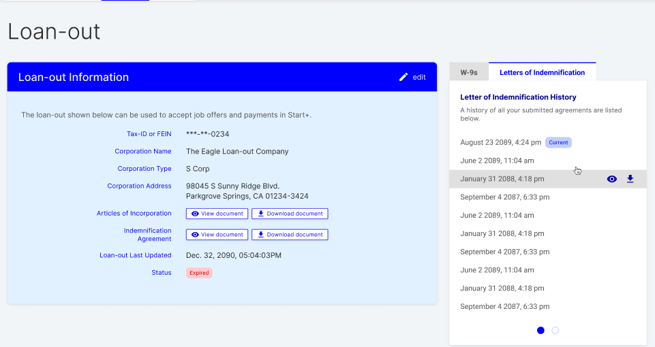
- Follow the steps on the screen to verify your identity.
- Once your identity has been successfully verified, head back to MyCast&Crew and complete the fields.
- Upload your Articles of Incorporation document and Letter of Indemnification forms (LOI)
- Review your loan-out information.
- If everything looks correct, click Verify.
Steps for New Experience
- On your MyCast&Crew dashboard, click the Loan-out tab in the top navigation bar.
- Click
 edit to update your loan-out information.
 - Follow the steps on the screen to verify your identity.
- Once your identity has been successfully verified, head back to MyCast&Crew.
- Complete and sign the W-9 and Letter of Indemnification forms (LOI).
- If you're submitting an LLC loan-out entity, you will be required to submit additional support documents.
- For LLC-Single Ownerships: IRS Acceptance Letter
- For LLC-Partnerships: Partnership Agreement or Redacted Form 1065
- Review your loan-out information.
- If everything looks correct, click Verify.