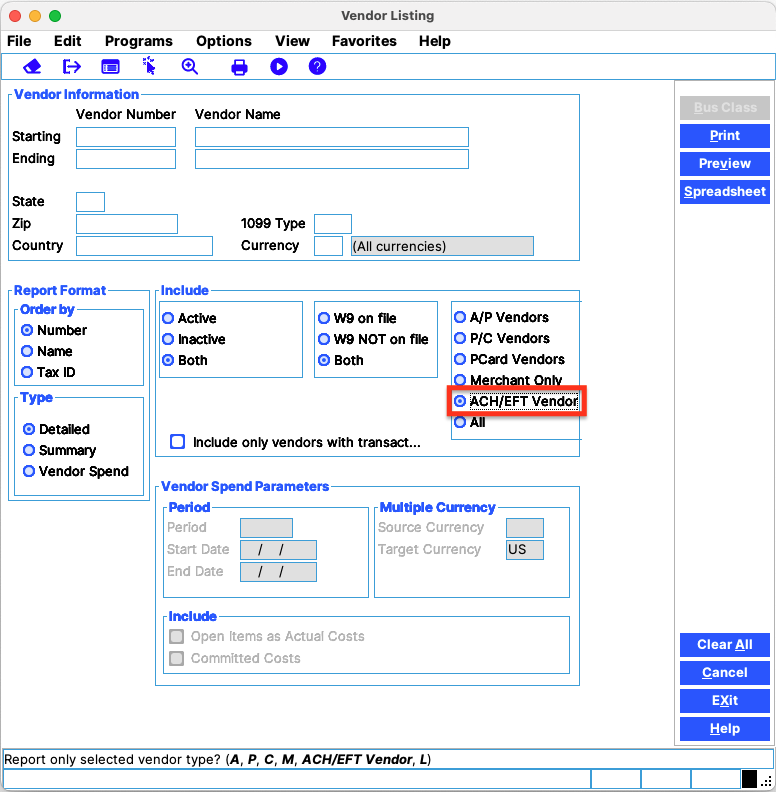
The Vendor List Report will generate a list of all vendors flagged as “ACH/EFT.” In PSL+, go to Vendor Menu → Vendor Listing → Select ACH/EFT vendor. Related articles PSL+: How to Install PSL+ on a Mac PSL+ Importing a Budget from Movie Magic PSL+ Close Period CAPS Pay Administrators: How to Add Project Locations MyCast&Crew Canada: How to Sign Up for Direct Deposit (Desktop & Mobile)