PSL+ is compatible with MacOS Sequoia and is a notarized, trusted Apple software.
If you work on an Apple computer and need to download PSL+, please follow the steps below.
| Note: To access PSL+ on a Mac, your macOS needs to be Catalina 10.15 or newer. |
|
Note: PSL+ is fully compatible with macOS 27. If you own an older, Intel-based Mac, macOS 27 is not supported by Apple. The latest supported version for these devices is macOS 26 (Tahoe). PSL+ is also fully compatible with macOS 26 Tahoe. |
-
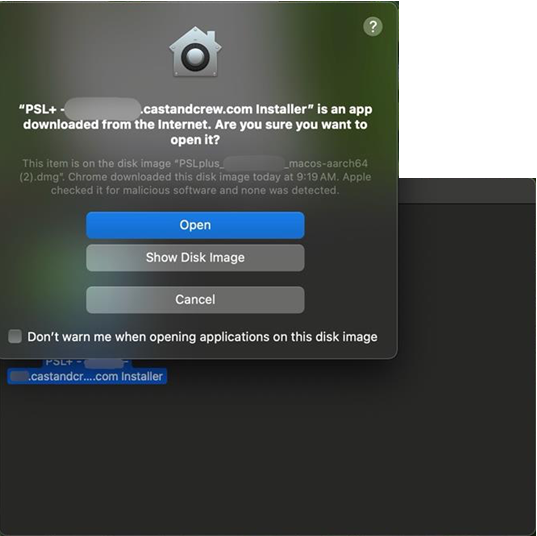
Acknowledge and Open the installer.
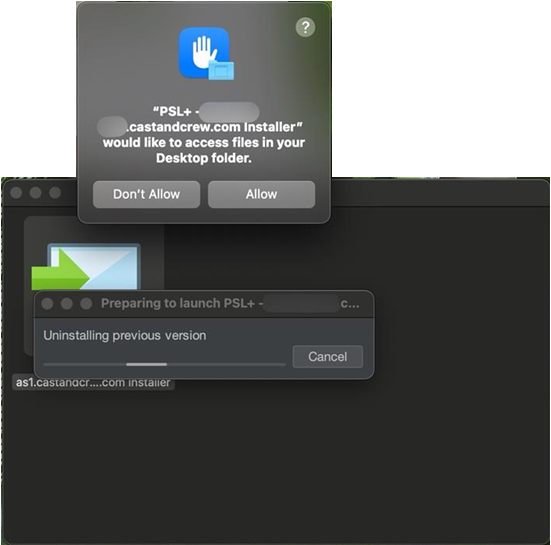
- Click Allow to allow access and run the installer.
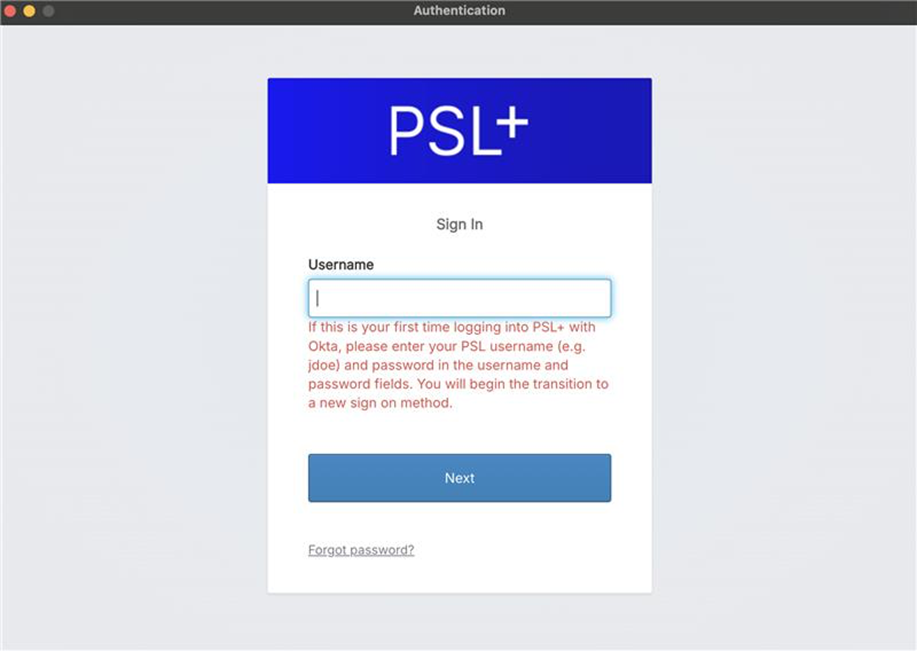
- Once the download is successful, the PSL+ login window will open. Please enter your Okta credentials to log in.
Related article:
Help Center article: MICR Check Printing