This article shows you how to perform this task in both Classic and New experiences.
Steps for Classic Experience
Crew members can add their screen credit name to their profile in MyCast&Crew and Start+. To do this:
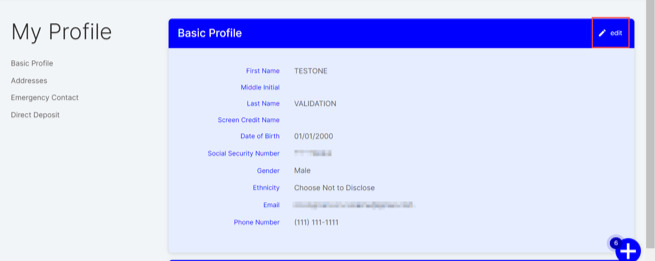
- Head to the Profile tab in your MyCast&Crew portal.

- Under the "Basic Profile" section, click edit.
- Follow the steps on the screen to verify your identity.
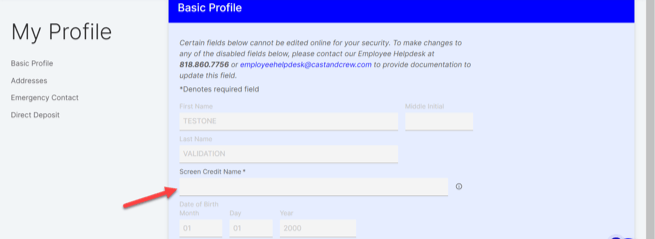
- Once your identity has been successfully verified, head back to MyCast&Crew and add the appropriate name in the 'Screen Credit Name' field.
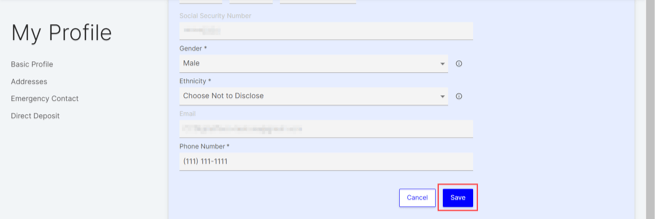
- Click Save.
Steps for New Experience
Crew members can add their screen credit name to their profile in MyCast&Crew and Start+. To do this:
- Head to the Profile tab in your MyCast&Crew portal.
- Under the "Basic Information" section, click edit.
- Follow the steps on the screen to verify your identity.
- Once your identity has been successfully verified, head back to MyCast&Crew and add the appropriate name in the 'Screen Credit Name' field.
- Click Save.