This article shows you how to perform this task in both Classic and New experiences.
Steps for Classic Experience
This is managed in your MyCast&Crew portal.
- Once logged in to your MyCast&Crew account, click the Profile tab.

- Scroll to the Emergency Contact section and click edit.
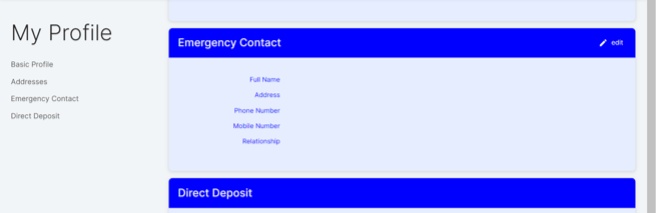
- Follow the steps on the screen to verify your identity.
- Once your identity has been verified successfully, head back to MyCast&Crew and add or update your emergency contact information.
- Once you have made your changes, click Save.
Steps for New Experience
This is managed in your MyCast&Crew portal.
- Once logged in to your MyCast&Crew account, click the Profile tab.
- Scroll to the Emergency Contact section and click edit.
- Follow the steps on the screen to verify your identity.
- Once your identity has been verified successfully, head back to MyCast&Crew and add or update your emergency contact information.
- Once you have made your changes, click Save.