| Check out all of our Hours+ courses in Learning On-Demand. |
If you'd like to see how to enter times for your crew on a day-to-day basis with the option of saving drafts, read our article on Daily Timesheets here.
This article shows you how to perform this task in both Classic and New experiences.
Steps for Classic Experience
Hours+ users in the Department Head role can create timecards and send them to each of their employees for their approval.
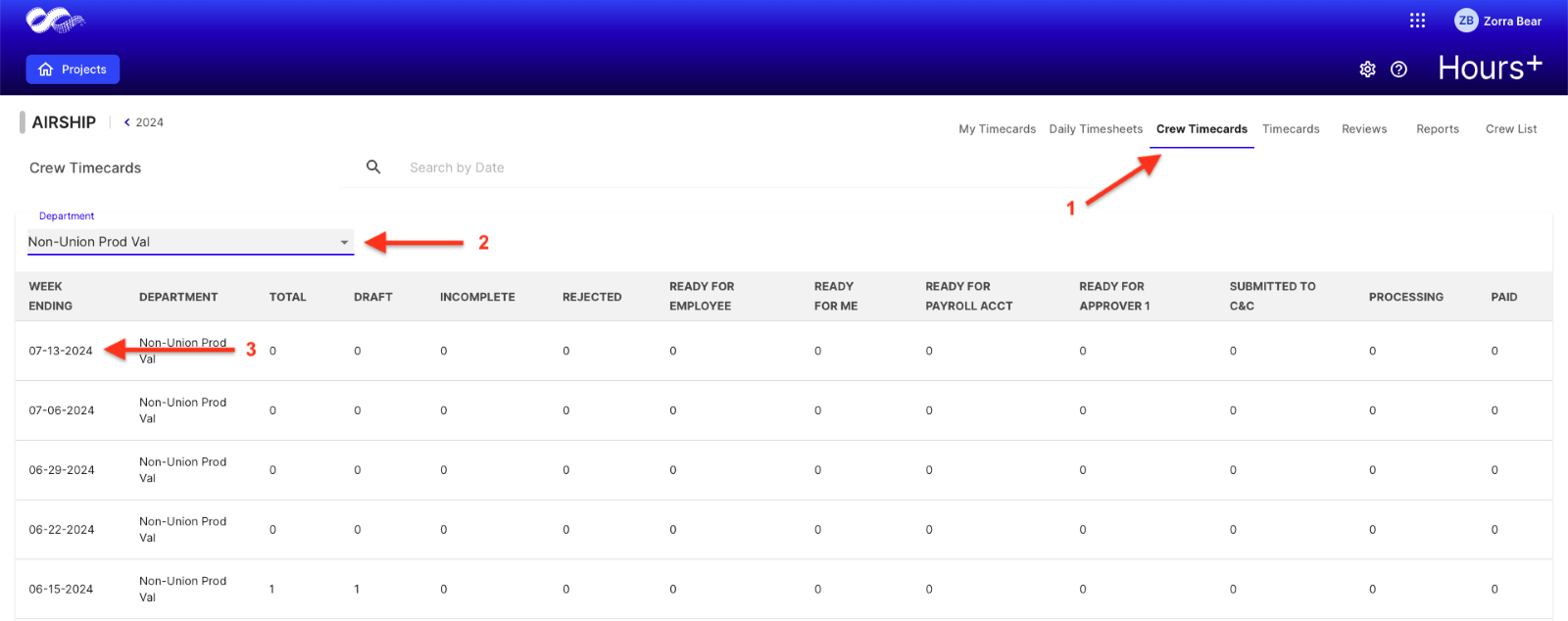
1. In Hours+, head to the Crew Timecards
2. Select a department from the drop-down (You’ll see departments you’re associated with. So, if you’re only associated with one department, you’ll only see that as an option.)
3. Choose the Week Ending for which you’d like to create timecards.
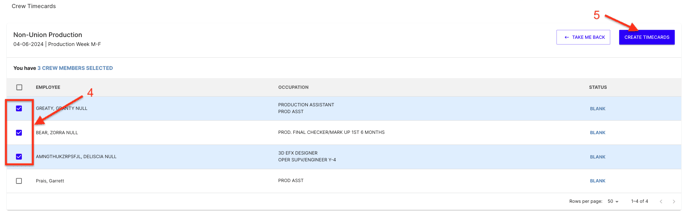
4. Check as many or as few crew members that you’d like to create identical timecards for. To accommodate different timecards, repeat steps 1-8 for individual members.
5. Click Create Timecard.
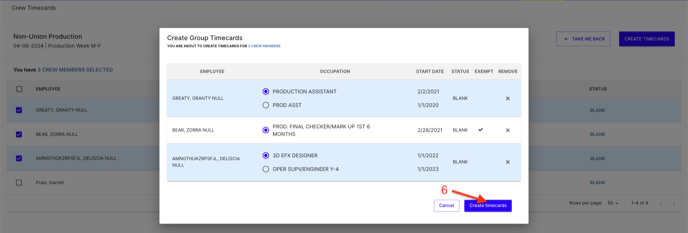
6. Confirm the crew members you are choosing and their primary occupation code for the week if they have multiple. Click Create Group Timecard.
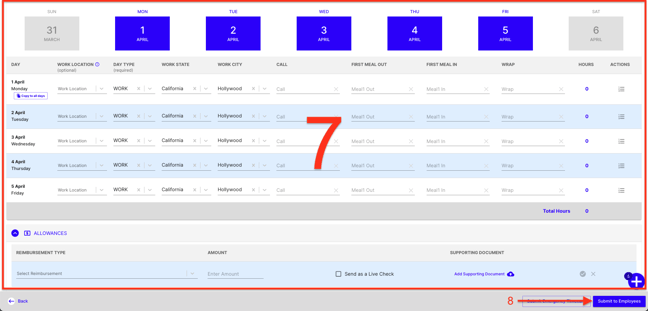
7. Fill in times/allowances on the timecard that applies to selected crew members.
8. Once complete, click Submit to Employees to send the timecard to the selected crew members.
Steps for New Experience
Hours+ users in the Department Head role can create timecards and send them to each of their employees for their approval.
1. In Hours+, head to the Crew Timecards
2. Select a department from the drop-down (You’ll see departments you’re associated with. So, if you’re only associated with one department, you’ll only see that as an option.)
3. Choose the Week Ending for which you’d like to create timecards.
4. Check as many or as few crew members that you’d like to create identical timecards for. To accommodate different timecards, repeat steps 1-8 for individual members.
5. Click Create Timecard.
6. Confirm the crew members you are choosing and their primary occupation code for the week if they have multiple. Click Create Group Timecard.
7. Fill in times/allowances on the timecard that applies to selected crew members.
8. Once complete, click Submit to Employees to send the timecard to the selected crew members.